Sunstone dev log 14: load a bigger model
My 3D rendering project is called Sunstone. I thought it would be cute to name it after a gem.
Today I tried to load up the
Amazon Lumberyard Bistro.
I had to import the provided FBX file into Blender and fix a bunch of stuff before
exporting it to GLB. When I first loaded Bistro into the renderer, nothing
happened. After adding some logs, I found that my VkImage allocation code was
running slowly. There are ~450 GLTF image resources in the GLB, and they were
loading at a rate of 1-2 per second.
I started coming up with guesses as to why this code was so slow. I was daunted
by the potential solutions I was imagining, so I decided that I should measure
what was going on so that I wouldn’t waste effort on useless changes.
I captured a
flame graph using
perf:
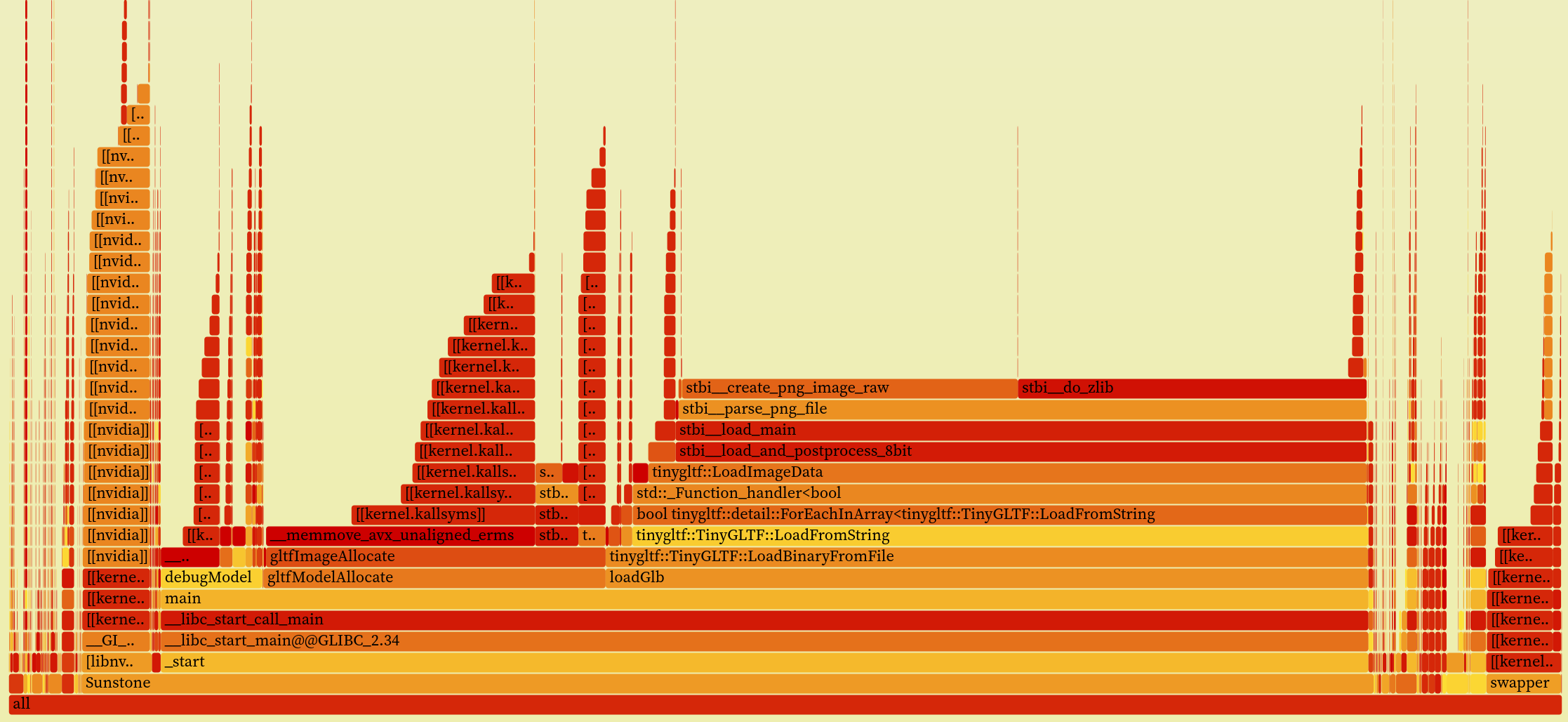
This showed me two things:
My image allocation code spent most of its time
memcpying image data into the host-visible buffer (the__memmove_avx_unaligned_ermsflame)tinygltfwas decoding the GLTF images itself (stbi__parse_png_file), so doing it in my image allocation code (thestb..bubble in thegltfImageAllocateflame) was redundant
I decided to remove my redundant image decodes and use the decoded image data
provided by tinygltf. To my surprise, this made the code fast enough to load
up Bistro!
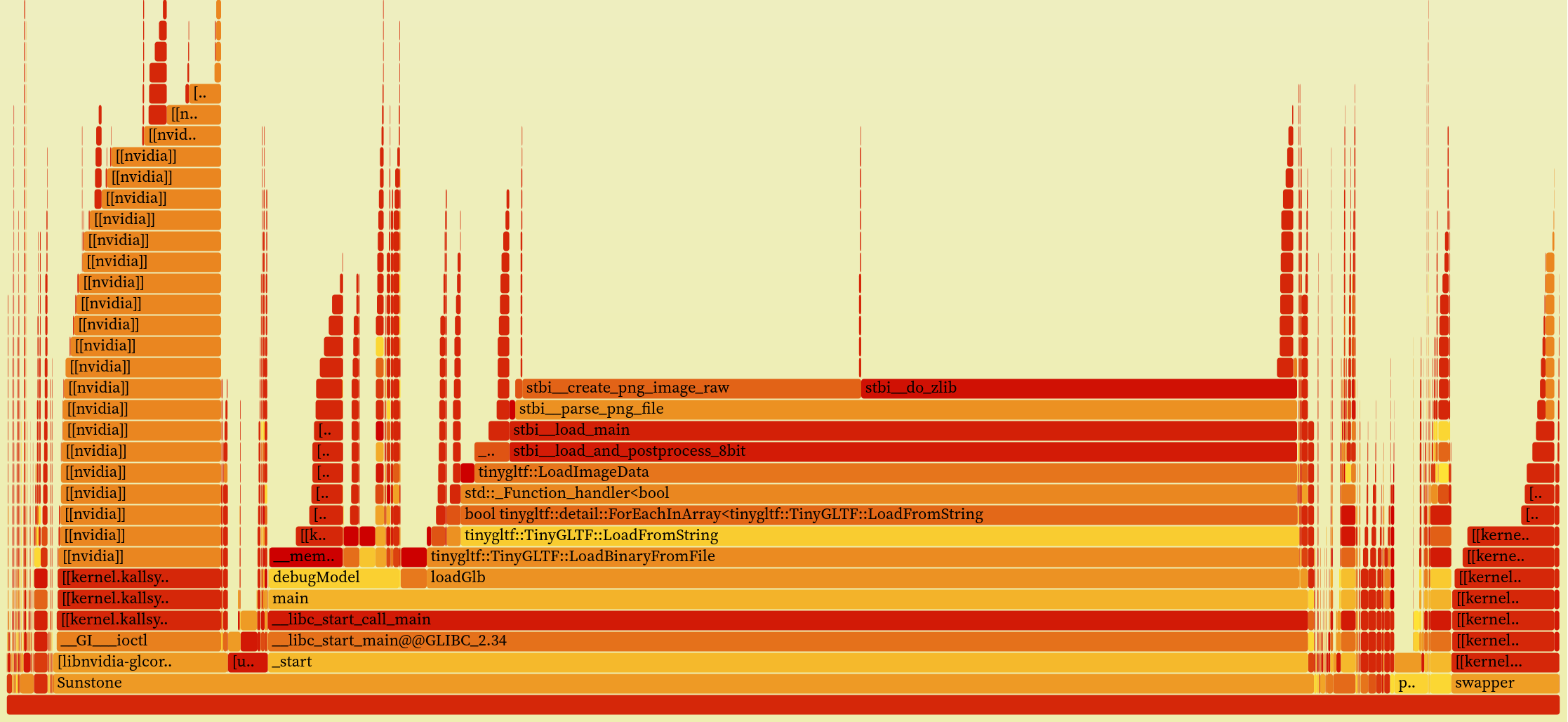
Here’s the flame graph after the change:
Then I initialised the renderer’s camera from the GLTF scene’s camera, and I got my first glimpse of the Bistro :)
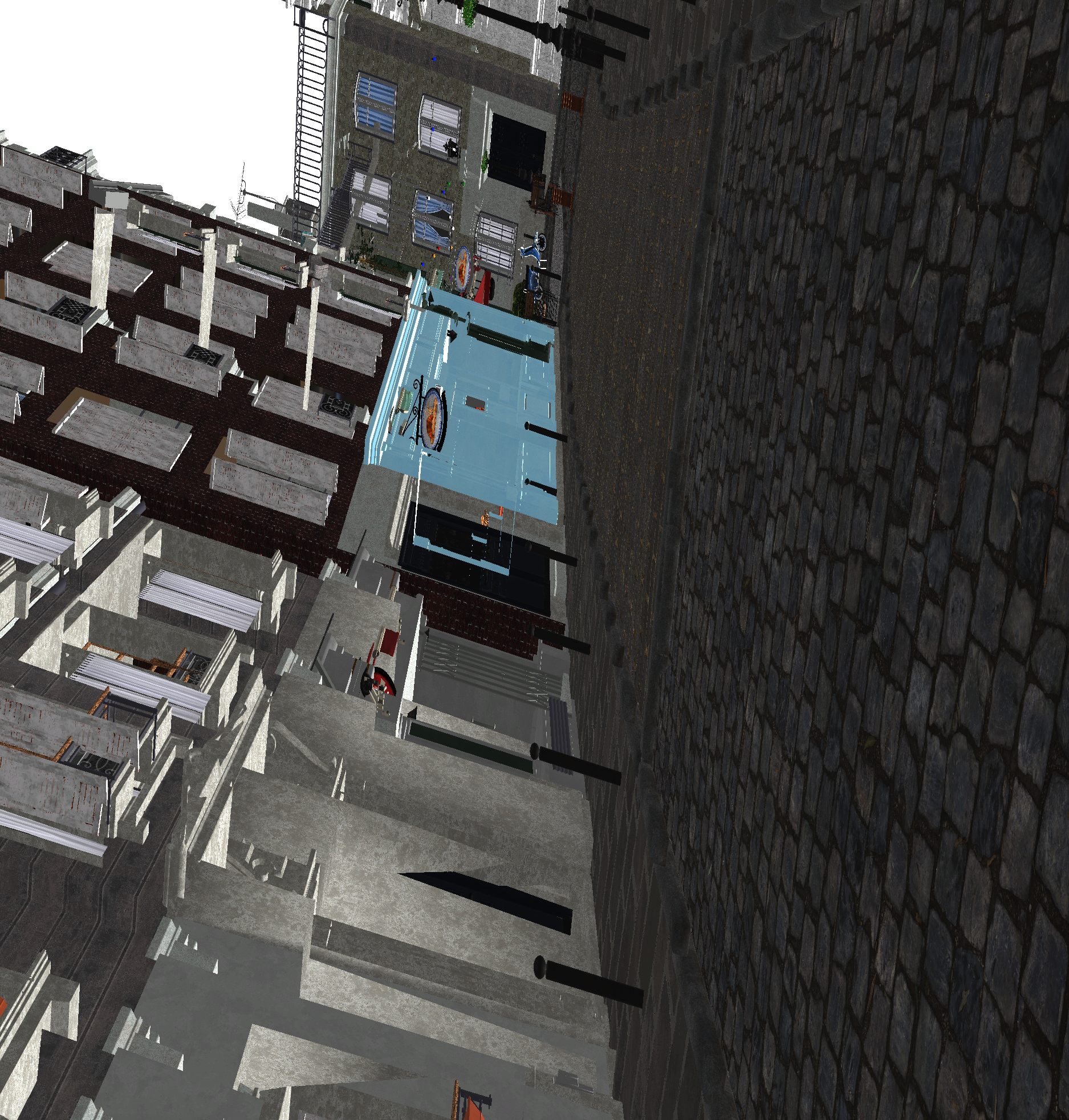
Clearly I’ve done something wrong with the camera. But it sort of looks like something!
Next steps
- Fix GLTF camera loading
- Review/clean up model loading code
- Shade with physical units